
To cancel your subscription, you must be logged into your Guardian account. Subscriptions cannot be cancelled from a child’s account.
Steps to Cancel
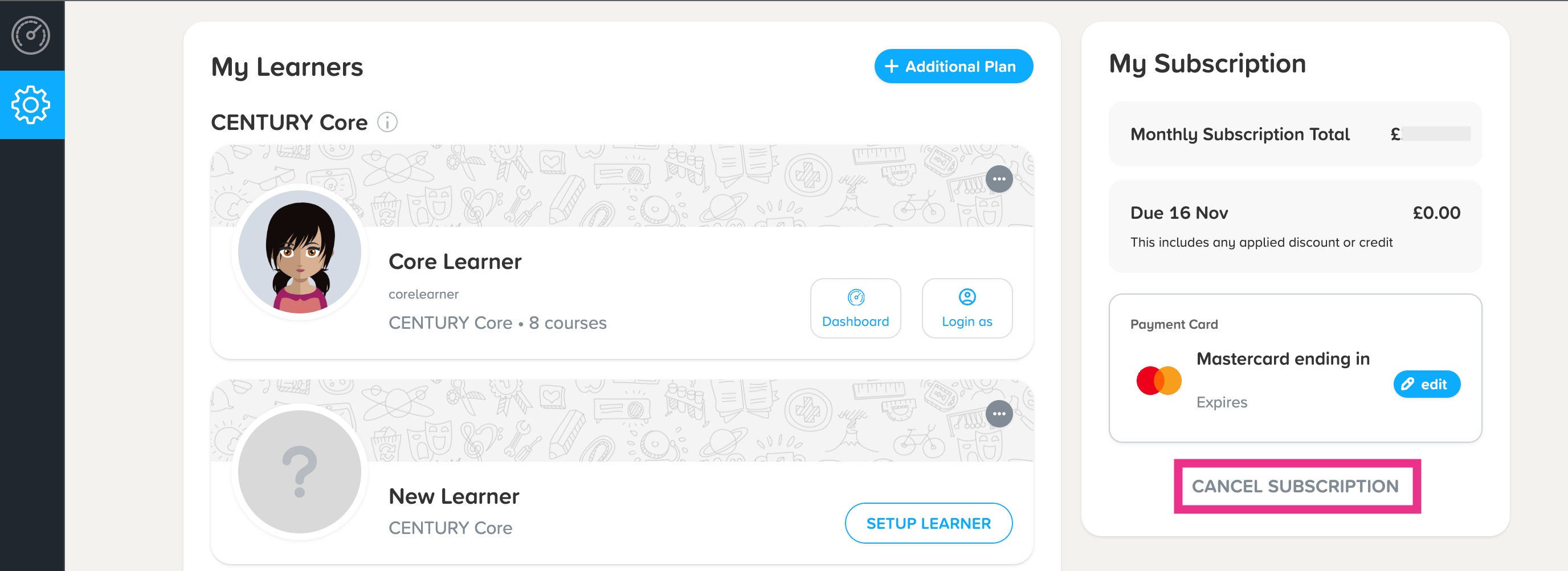
- Log in to your Guardian account, on the main settings page, navigate to the right and click Cancel Subscription.
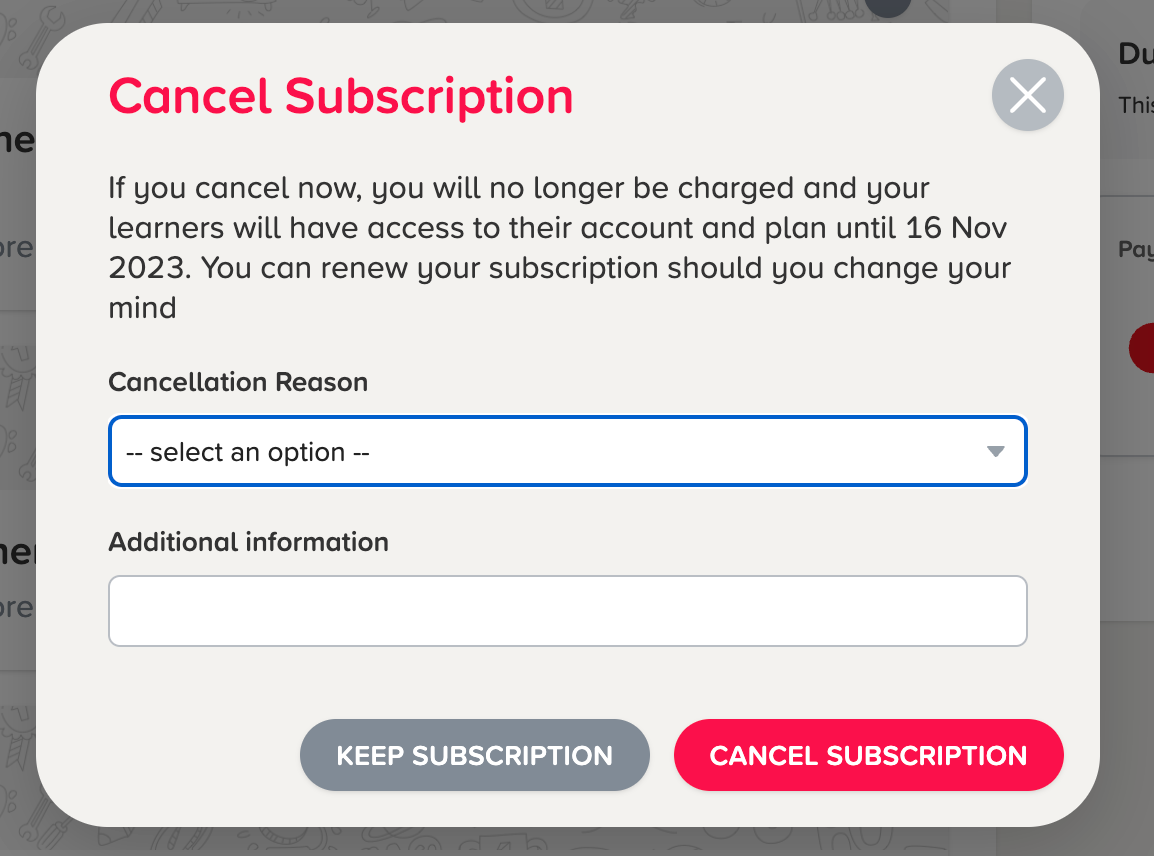
- Select a Reason: A pop-up window will appear asking why you wish to cancel. Select your reason from the options provided. You can also provide additional feedback in the text box if you wish.
- Confirm Cancellation: Click Cancel Subscription to complete the process.
Once confirmed, your subscription will be cancelled.
What Happens Next?
- Continued Access: You and your child will retain full access to the platform until the end of your current billing period. The exact end date will be shown in the confirmation pop-up box.
- Confirmation Email: We will send you an email confirming the end date of your subscription. Access for your learners will end on this date.
- Account Limitations: As soon as you request a cancellation, you will no longer be able to add or remove learners from your account. If you are on the Core subscription plan, you will also lose the ability to edit your courses.
Restoring or Resuming Your Subscription
- Before your subscription ends: If you change your mind during your current billing period, simply click the Restore Subscription button in your settings to pick up right where you left off.
- After your subscription ends: If you decide to rejoin after your end date has passed, log into your Guardian account and select a new subscription plan. Click here for a step-by-step guide on how to pick a new plan.
Refunds
If you have requested a refund, our team will reply to verify your claim and confirm when it has been issued. Once processed, refunds take up to 14 working days to appear in your account.
Need Further Help?
If you have any questions, please reach out to our support team at help@century.tech.