
To add or change the courses accessible to a CENTURY Core learner, follow these steps:
- Log in to your Guardian account and go to the My subscription tab.

- Select the Learner: Click the three dots icon next to the learner's name and select Manage Courses.
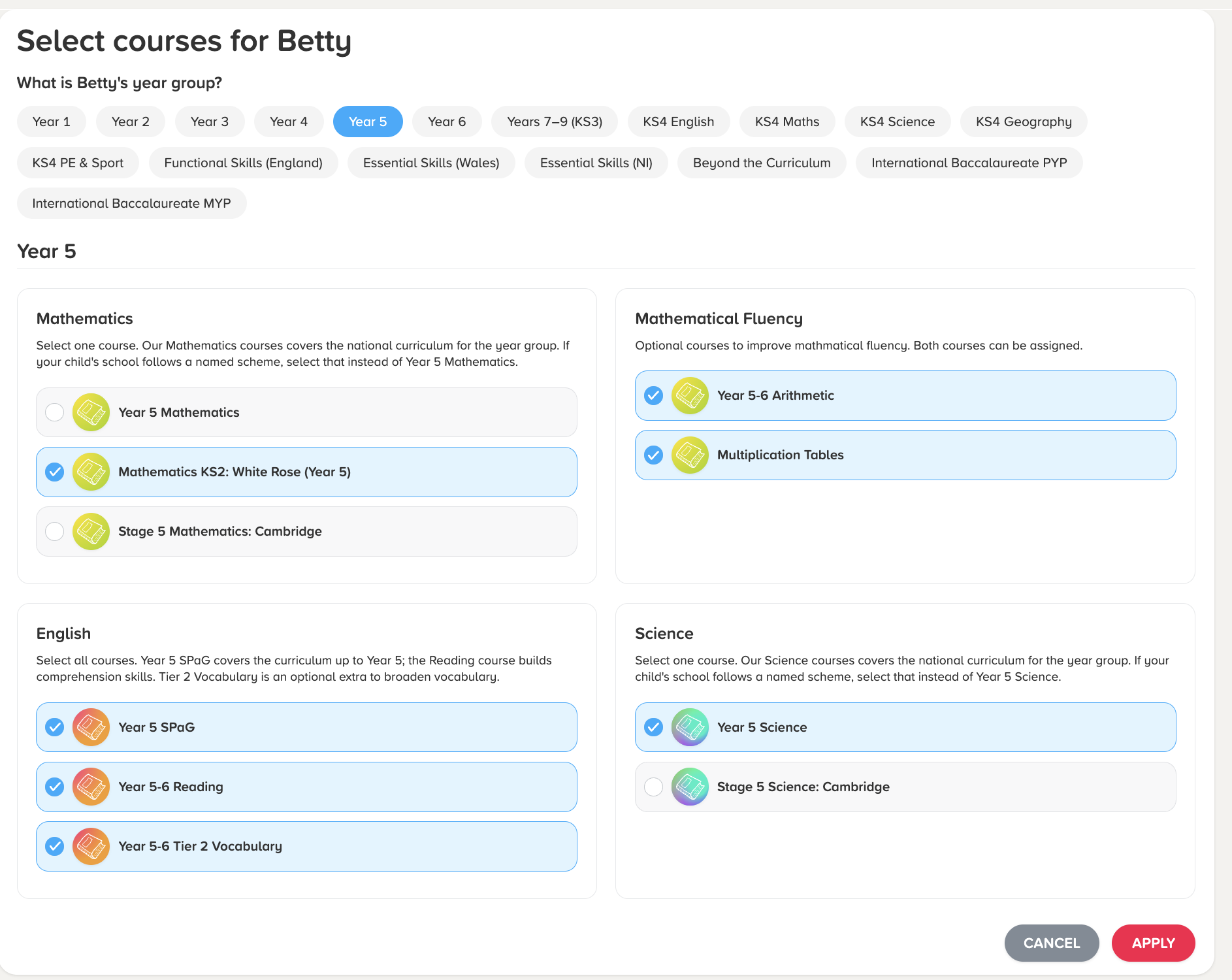
- Choose Courses: Select the courses you would like to assign to the learner. Please read the guidance provided above each subject for recommendations on which courses to select. When choosing courses, ensure you select courses from only one year group per learner to avoid overlapping content and ensure the learner receives the most relevant recommendations.
- Confirm Changes: Click "Apply" to confirm.
Once updated, the learner will be able to sign in and immediately access their newly assigned courses.

⚠️ Important: Updating Courses for the New Academic Year
At the start of each new academic year, we strongly recommend updating the assigned courses for your learners to ensure they have access to the correct material. Course progression is not automatic and must be updated manually through your Guardian account.
This update is particularly important if your learner is:
- Moving up a primary year group (e.g., advancing to the next primary course)
- Transitioning from primary to secondary (Year 6 to Year 7)
- Moving into GCSE preparation (moving from Years 7, 8, or 9 up to GCSE level)