
CENTURY uses artificial intelligence (AI) to personalise your learning experience, identifying your strengths, highlighting areas for improvement and recommending learning activities to help you make progress.
To get the most out of CENTURY, we recommend following the guidance below.
TABLE OF CONTENTS
- Follow Your Recommended Pathway
- Make the Most of Learning Nuggets
- Use Diagnostics to Personalise Your Learning
- Focus on Areas for Improvement and Stretch Activities
- Explore Topics Through My Courses
- Build a Regular Learning Routine
Follow Your Recommended Pathway
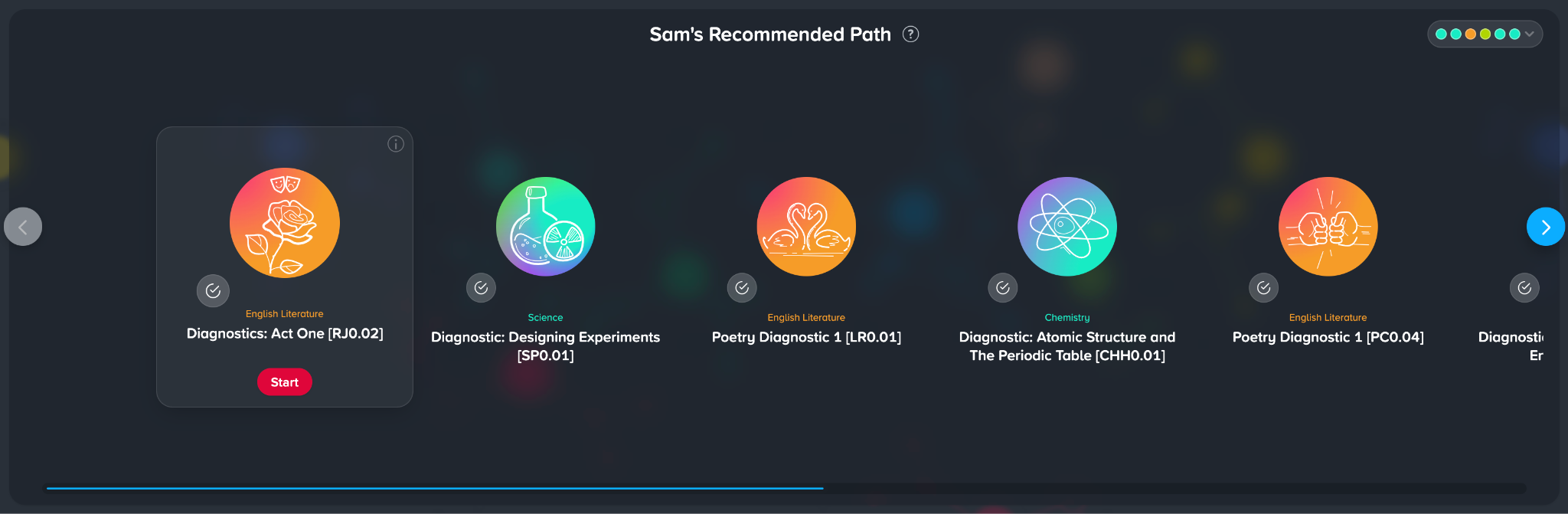
The Recommended Pathway is one of CENTURY’s most powerful features.
CENTURY’s AI continuously adapts your Recommended Pathway based on your performance in previous diagnostics and learning nuggets, providing learning recommendations tailored to your individual needs.
We recommend working through your Recommended Pathway regularly, as this will help you focus on the topics where you would benefit from additional practice.
Make the Most of Learning Nuggets
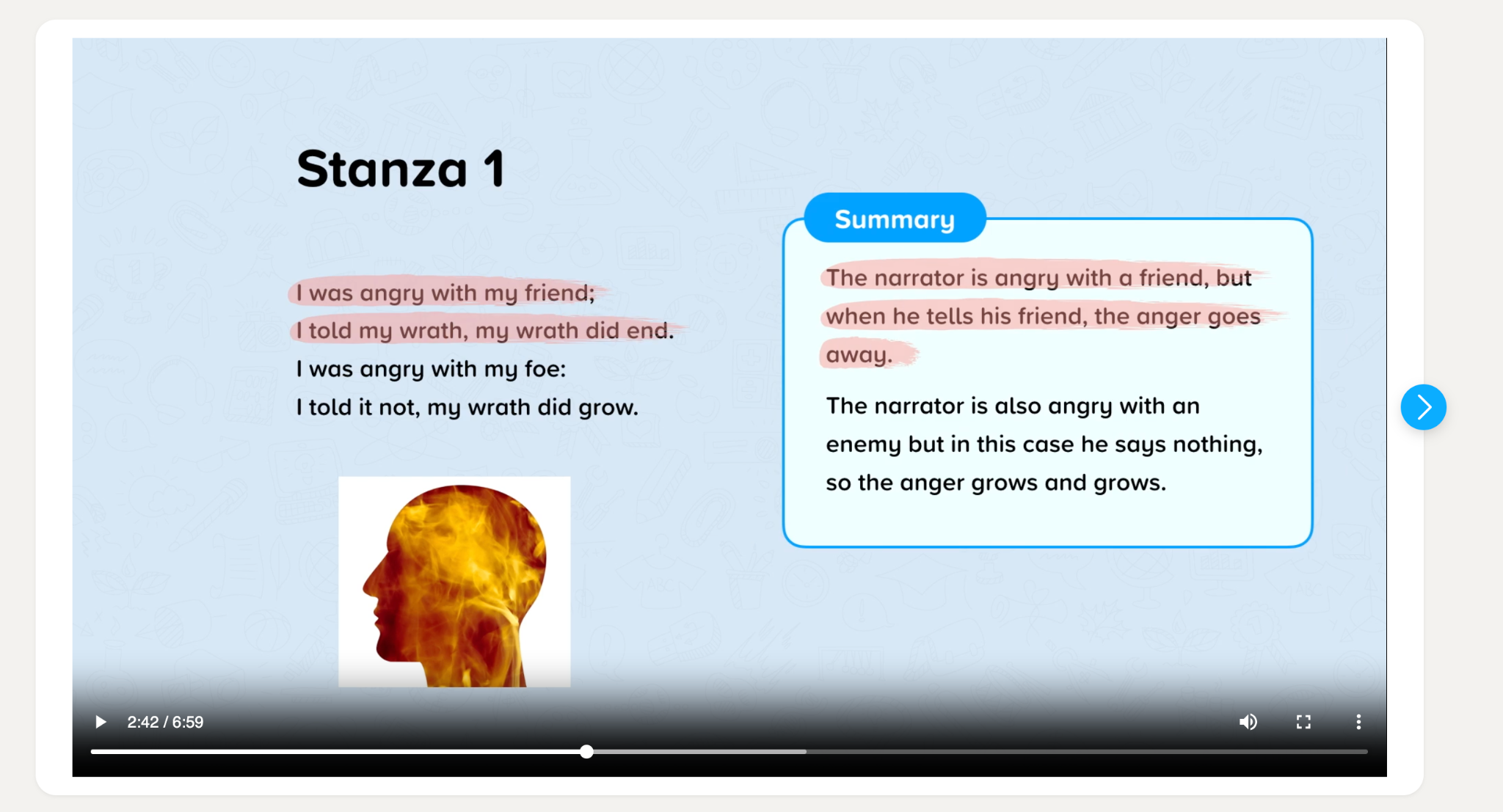
Nuggets are bite-sized lessons designed to help you develop your knowledge and understanding of specific topics. Each nugget typically takes around 10 to 15 minutes to complete.
Learning nuggets include educational materials, such as videos and slideshows, followed by questions to check your understanding.
To get the most out of each nugget, we recommend that you:
Engage with the learning materials: Watch the videos and read through the slideshows carefully before answering the questions.
Use a pen and paper: Taking notes and writing out calculations can help reinforce your learning.
Revisit the learning materials: If you’re unsure of an answer, you can return to the videos or slideshows at any point.
Try again: If you’re unhappy with your score, you can retry the nugget with a different set of questions to improve your understanding.
Remember, nuggets are designed to support your learning, not simply test your knowledge. Take your time and focus on understanding the content rather than rushing through the questions.
Use Diagnostics to Personalise Your Learning
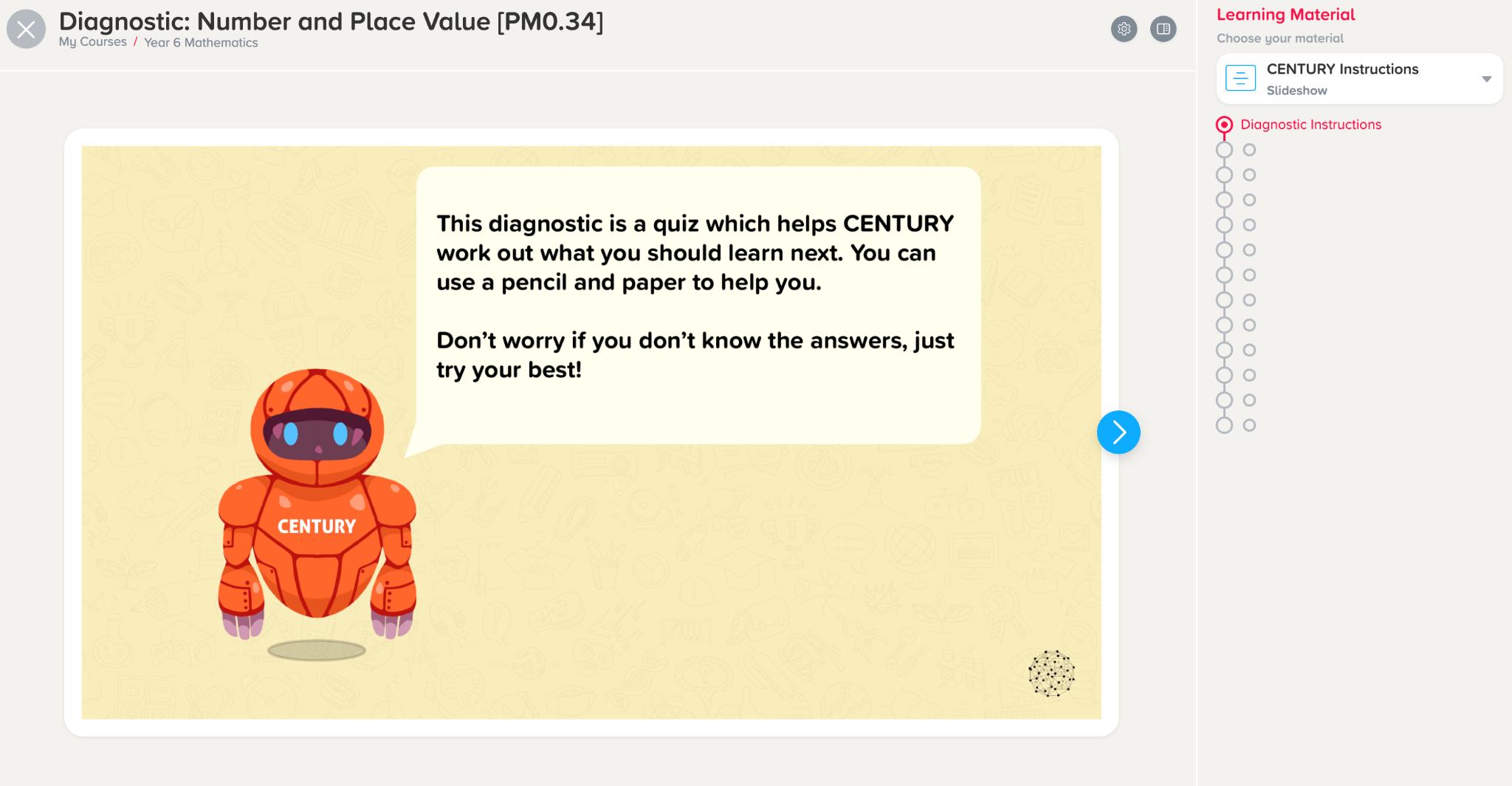
Diagnostics help CENTURY identify your existing knowledge, strengths and areas for improvement. This information allows the platform to recommend learning nuggets tailored to your individual needs.
Diagnostics will automatically appear in your Recommended Pathway when you are assigned a course. You can also find specific diagnostics by searching for them in the My Courses tab.
We recommend completing a diagnostic before starting a new topic to help CENTURY understand your existing knowledge and provide the most relevant learning recommendations.
Unlike learning nuggets, diagnostics do not contain learning materials, and you will not receive a score or feedback on your answers.
Top tips for completing diagnostics:
Work independently: Complete diagnostics without referring to notes or other resources.
Answer honestly: Try your best to answer each question accurately.
Don’t worry if you’re unsure: Select ‘I don’t know’ rather than guessing.
Follow your recommendations: Complete the recommended learning nuggets afterwards to address any identified gaps in your knowledge.
Remember: Diagnostics are not traditional tests. Their purpose is to identify what you already know and where you may benefit from additional support.
[Insert Diagnostics screenshot]
Focus on Areas for Improvement and Stretch Activities
Your Dashboard provides additional recommendations to help you focus your learning.
Two particularly useful sections are:
Areas for Improvement: Highlights topics where you may need additional practice to strengthen your understanding.
Stretch With: Recommends topics that can help you extend your knowledge and challenge yourself further.
These sections are particularly useful when you want to focus on a specific area or explore more challenging content.
We recommend regularly reviewing these recommendations alongside your Recommended Pathway.
Explore Topics Through My Courses
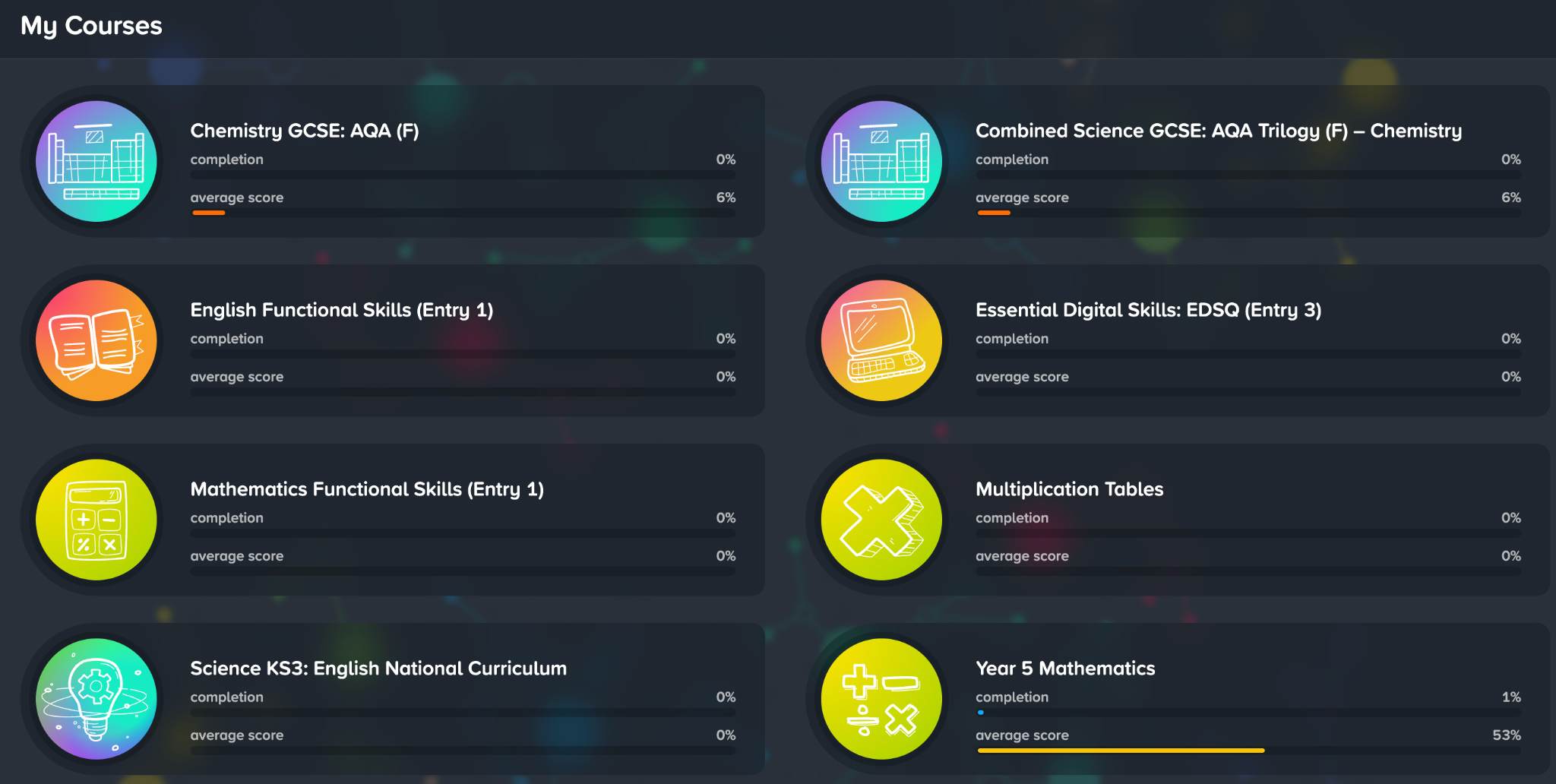
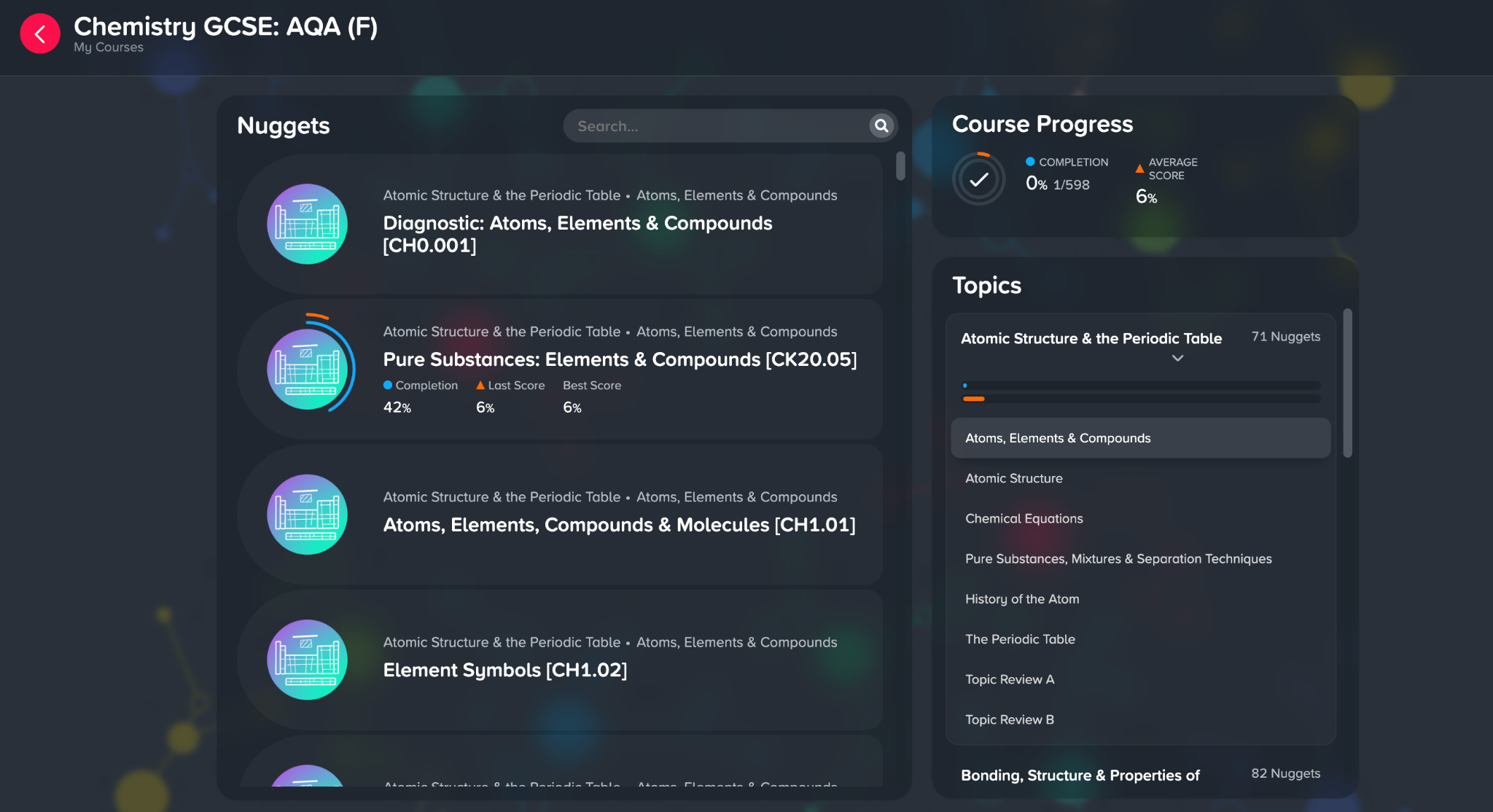
You can also explore specific subjects and topics using the My Courses tab.
This is particularly useful if you want to revise a topic you’re currently studying at school, prepare for an upcoming assessment or revisit something you’ve previously learnt.
To find a topic:
Select My Courses from the navigation menu.
Choose the course or subject you would like to study.
Search or scroll through the available content to find a specific topic.
Select a learning nugget or diagnostic to begin.
You can also use this section to review your recent activity and monitor your progress through a course.
Build a Regular Learning Routine
Consistency is key to making progress with CENTURY.
We recommend using CENTURY regularly, even if you only have 10 to 15 minutes available.
Completing just one or two nuggets during a study session can help reinforce your understanding and build confidence over time.
For the best results, try to:
Follow your Recommended Pathway regularly to work on topics tailored to your learning needs.
Complete diagnostics when beginning new topics to identify your strengths and areas for improvement.
Take your time with learning materials and revisit them whenever you need additional support.
Use Areas for Improvement to focus on topics you find challenging.
Explore My Courses when you want to revise specific subjects or prepare for assessments.
The more you engage with CENTURY, the more information the platform has to personalise your learning recommendations and support your progress.